How to Open a Vantage Account (Step by Step) and Get Cashback
Admin · 22 October 2026

Vantage’s website form is short: country, email, password, optional referral. You cannot trade or withdraw until identity and address documents are approved. Start from our Open account link so the referral is ours. If a step looks different, follow Vantage Help and contact us about the code.
Checked against Vantage Help and the live form on vantagemarkets.com/open-live-account/ on 22 October 2026. Account types match our Vantage catalog from the 21 October 2026 rate sheet: Standard STP, Raw ECN and Premium (not Pro ECN).
Before you start
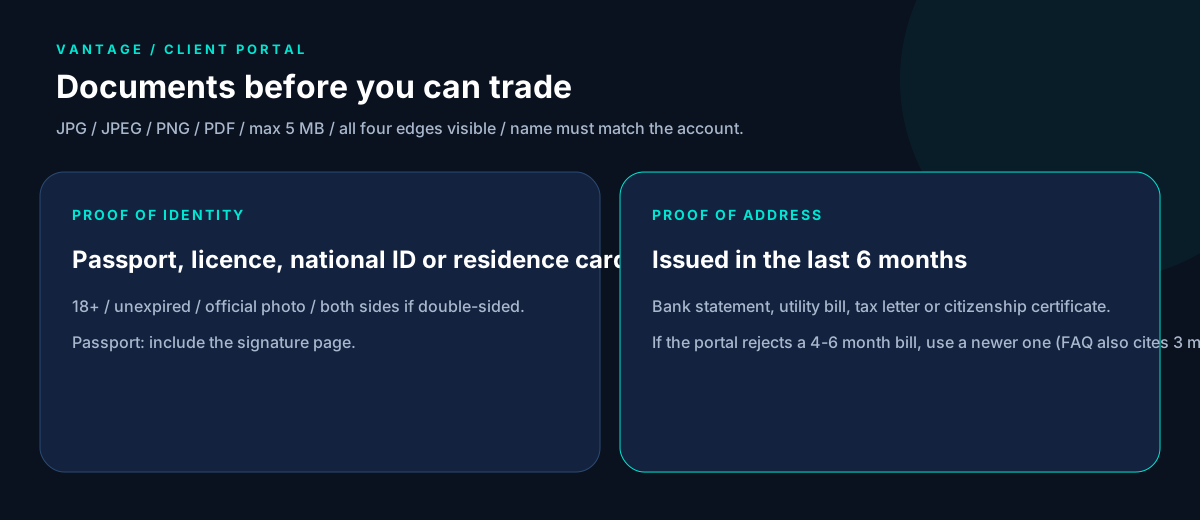
- Proof of identity: a valid government photo ID — passport (include the signature page), driving licence, national ID or residence card. You must be 18+. Both sides if the document is double-sided. All four edges visible. Name must match the Vantage account exactly.
- Proof of address issued within the last 6 months: bank statement, utility bill (gas, electricity, water, phone, internet), government tax document, or certificate of citizenship. Full name and residential address must be clear. Colour scan preferred. Vantage’s live-account FAQ also mentions documents not older than 3 months in one place — if the portal rejects a 4–6 month bill, use a newer one.
- Files as photo, scan or photocopy, JPG / JPEG / PNG / PDF, up to 5 MB.
- An email (website) or mobile number (Vantage app) you can reach.
Vantage does not offer services to residents of certain jurisdictions, including India, Canada, China, Hong Kong, Singapore, the United States, and jurisdictions on the FATF and EU/UN sanctions lists. Confirm on Vantage before you apply.
Step 1: Open the live account page from our link
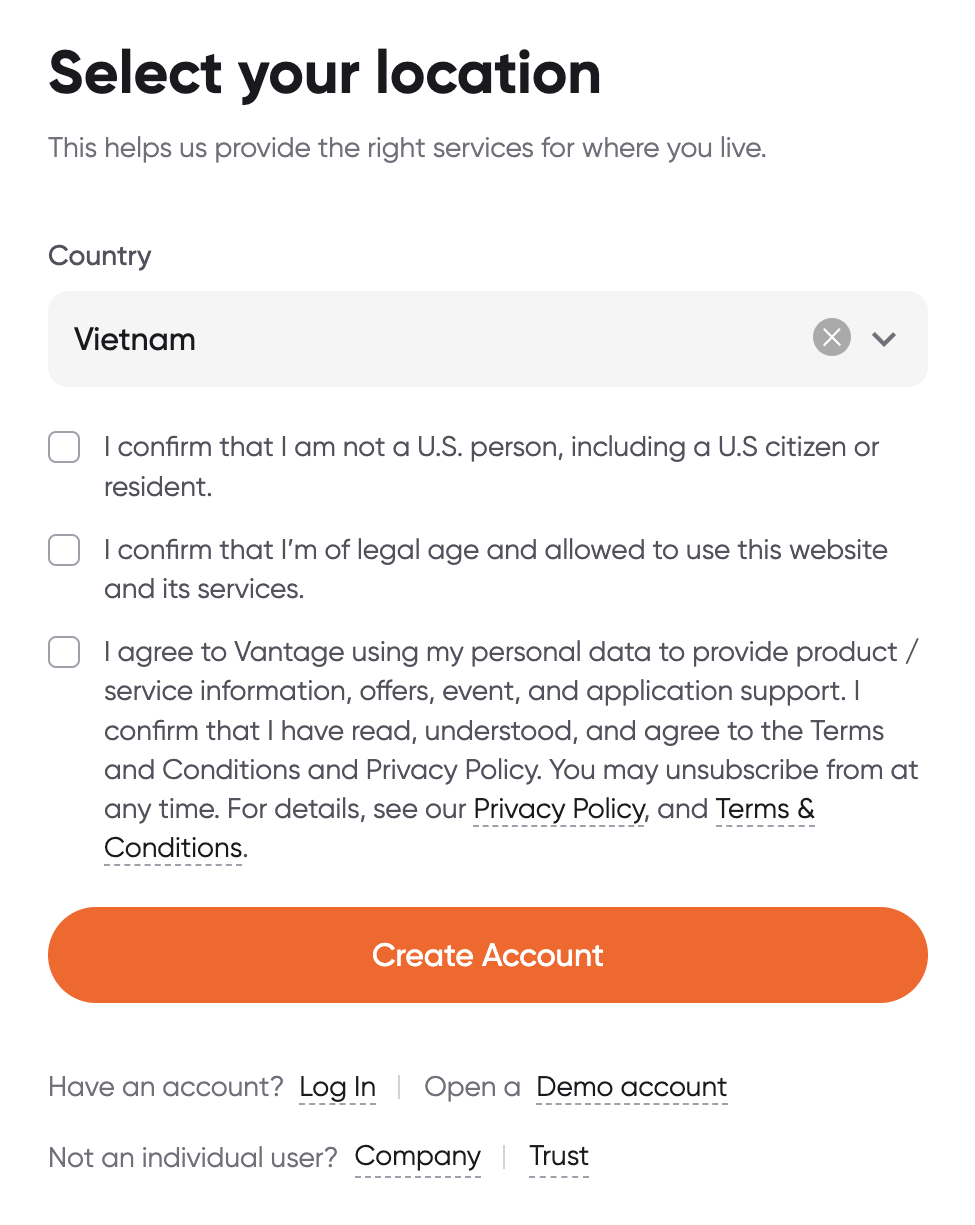
Press Open account and select your country of residence first — that chooses the Vantage entity. Rates and the IB ID are on the Vantage page and setup page.
The first public screen asks for country, then three confirmations (not a US person, legal age, Terms and Privacy). Do not press Create Account until those are true for you.
Step 2: Email, password and referral
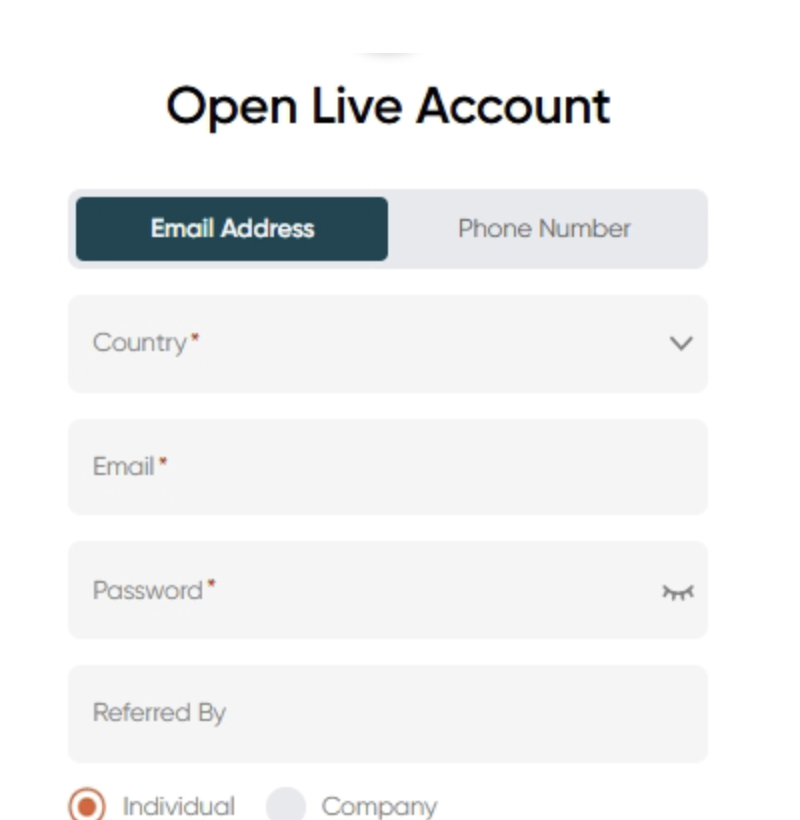
On the website, the next fields are:
- Enter email and password (the Help Center widget also offers a Phone Number tab).
- Fill Referred By / referral information (optional on the form). Put our IB ID from the setup page there.
- Keep Individual selected unless you are opening a company account.
- Complete any remaining application fields and submit.
- If shown, tick that you are not a US citizen or resident.
- Log in to the Client Portal at
https://secure.vantagemarkets.com/login.
On the Vantage app: download it, choose Sign up, pick a country code, enter your phone, tick Referral if you have our code, accept the privacy policy, request the 6-digit SMS, set a password, submit.
Step 3: Upload POI and POA
Vantage requires proof of identity and proof of address to upgrade verification and enable live trading. Upload in the Client Portal or app. Complete the face check if Vantage asks.
If you cannot produce a utility bill or bank statement, Vantage may accept a second photo ID that shows your residential address, provided you did not already use it as POI — that path is subject to approval.
Step 4: Wait for approval
Vantage says that if you submit the form with the required proof of identity, the live account can be ready within 24 hours. If you have heard nothing after one business day, email support@vantagemarkets.com.
Do not deposit expecting to trade before approval.
Step 5: Choose account type and fund
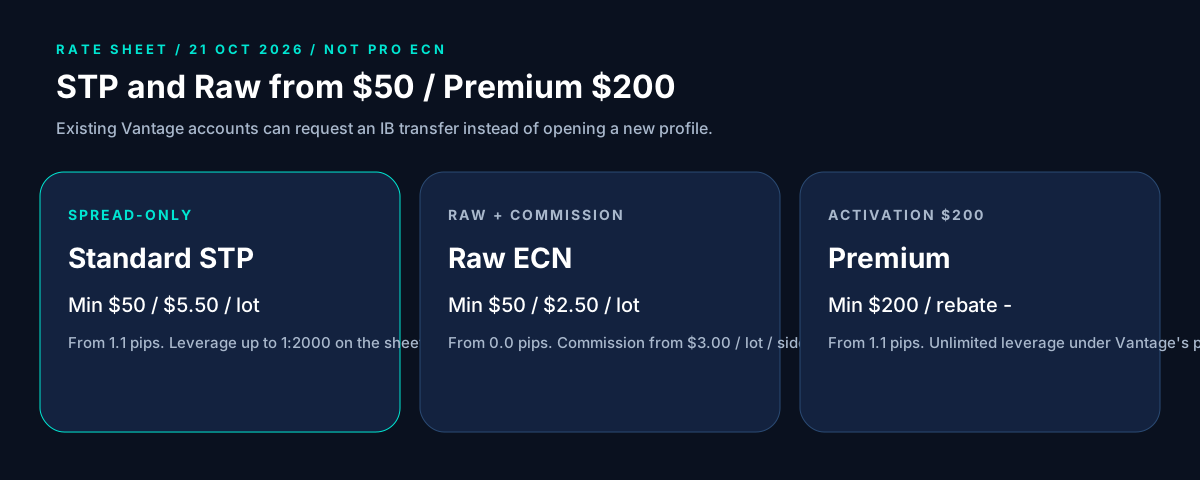
In the Client Portal pick MT4 or MT5 and an account type. On our catalog (confirm in the portal before you pay):
| Account type | Minimum (rate sheet) | Notes |
|---|---|---|
| Standard STP | $50 | Spread-only from 1.1 pips. Cashback $5.50 per lot. Leverage up to 1:2000 on the sheet. |
| Raw ECN | $50 | From 0.0 pips, commission from $3.00 per lot per side. Cashback $2.50 per lot. |
| Premium | $200 | Spread-only from 1.1 pips. First activation deposit $200 on the sheet. Unlimited leverage under Vantage’s policy. Cashback not listed yet. |
Use a payment method in your own name. Stop-out on these sheet rows is 0%.
Step 6: Send us the trading account number
Send us the Vantage trading account number so we can confirm the IB before you trade size. We never ask for Client Portal or platform passwords.
Already have a Vantage account?
Vantage allows an IB transfer on an existing account. Close open positions on the account you want to move, then submit the IB transfer in the Client Portal with our IB code (or email support from the registered address). Wait for Vantage’s confirmation before you trade again. Details: rebates on an existing broker account.
Next steps
Estimate volume on the rebate calculator, then open the account — or transfer from the Vantage page. Rebates are paid on lots you trade, win or lose. Leveraged products can lose more than your deposit; read the risk disclosure.