How to Open an Exness Account (Step by Step) and Get Cashback
Admin · 22 October 2026
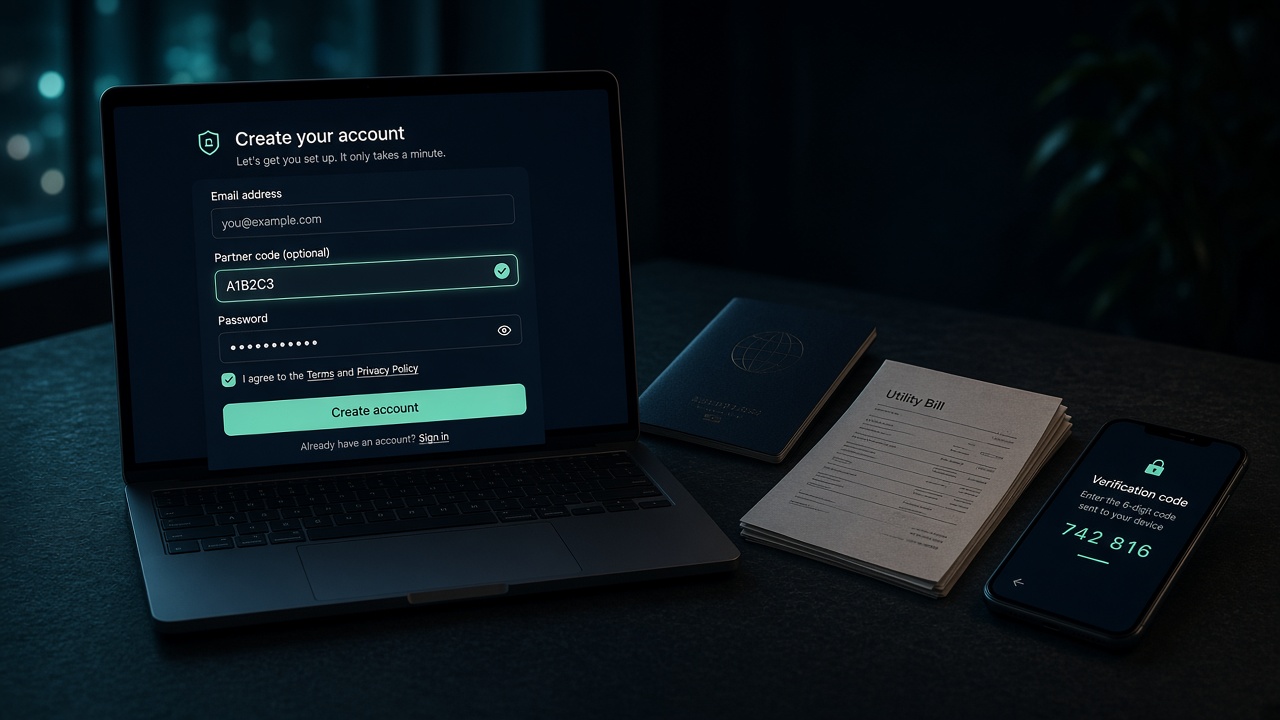
Opening the Exness profile takes a few minutes. Verification and the first deposit take longer. You must start from our Open account link so the Personal Area is attached to our IB. Exness’s own screens change; if a step looks different, follow Exness Help and contact us about the partner link.
Checked against Exness Help on 22 October 2026 (registration updated 19 September 2026; partner code 16 October 2026; document review 24 September 2026). The signup form below was captured the same day from my.exness.com. Account types and minimum deposits match our Exness catalog from the 21 October 2026 rate sheet.
Before you start
- An email you can open on this device. The live form also offers Google sign-in.
- A phone for the 6-digit email and SMS (or call) codes.
- Proof of identity: a government photo ID (passport, national ID or driving licence) that is still valid for at least three months, with all four edges visible.
- Proof of address in the same country you register with, issued in the last six months (utility bill, bank statement, local tax bill, or a bank reference letter). Exness does not accept an ID card as proof of address, even if it shows your street.
- Files as a photo, scan or photocopy, in JPG, BMP, PNG or PDF, up to 50 MB.
Your country of residence decides the Exness entity, leverage and which account types you can open. Exness does not accept US citizens or residents. The live form asks you to confirm you are not a US citizen or resident for tax purposes.
Step 1: Start from our link
Press Open account and finish registration in the same browser. The partner link is what attaches your Personal Area to Daily Rebate FX. Rates and the IB ID are on the Exness page and setup page.
Step 2: Create the Exness account
On my.exness.com, stay on the Create an account tab. Enter your email and a password that meets the on-screen rules: 8–15 characters, at least one upper and one lower case letter, one number, and one special character.
If the form shows Partner code (optional), expand it and enter our IB ID from the setup page. A valid code shows a green confirmation. An invalid code is cleared so you can try again. The field is optional — if you leave it blank, Exness keeps the partner from the link you used. If you type a different partner’s code, that partner wins, even if you clicked our link.
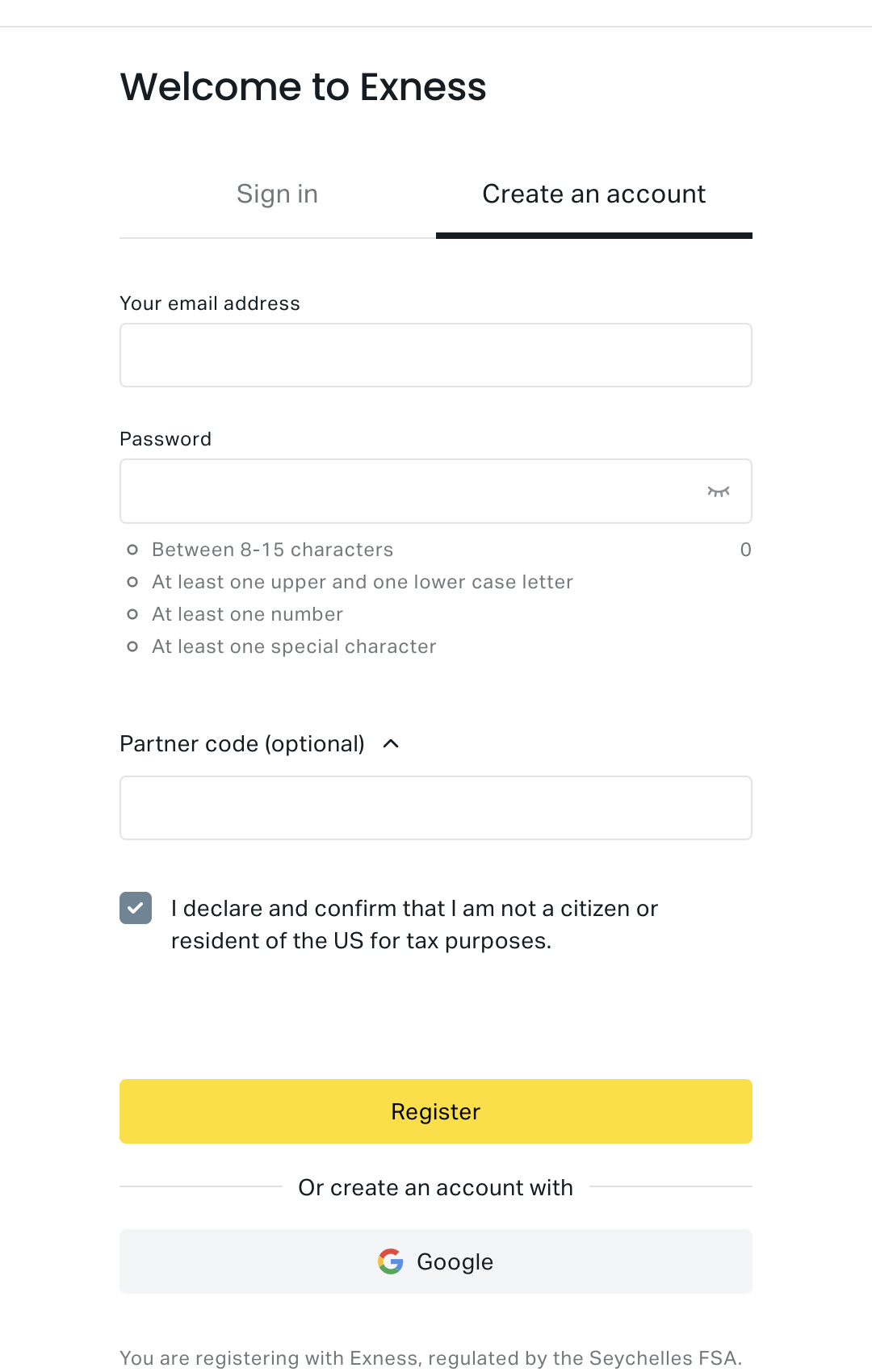
Tick I declare and confirm that I am not a citizen or resident of the US for tax purposes, then press Register.
Registration creates your Personal Area (PA). Exness then opens Exness Terminal. Open the features menu (top right) and choose Personal Area to manage accounts, verification and deposits.
If Exness says the email is already used, recover that password instead of opening a second profile with the same address.
Step 3: Verify email, phone and profile
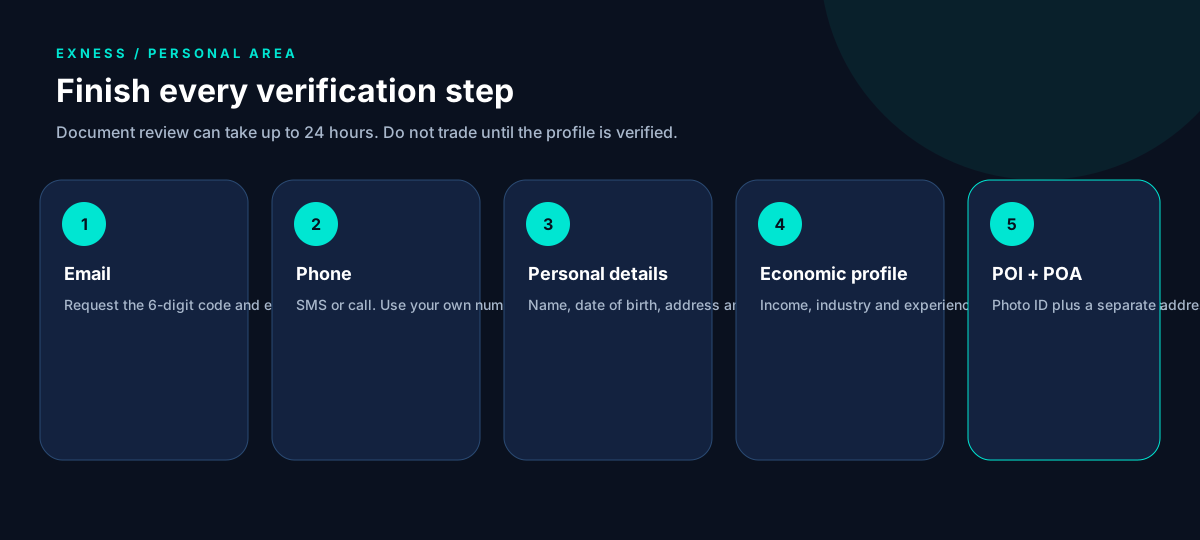
In the Personal Area (or Exness Trade → Profile → Complete profile), finish every verification step Exness shows:
- Email — request the 6-digit code and enter it.
- Phone — country code and number, then SMS or call.
- Personal information — name, date of birth, address and gender exactly as on your documents.
- Economic profile — source of income, industry and trading experience. Complete this before you upload documents.
- Proof of identity and proof of address — some regions can use one document for both; most clients need two. You can submit POI and POA together.
Step 4: Wait for document review
Exness emails you when documents are submitted and again when they are reviewed. Review can take up to 24 hours. Watch the banner at the top of the Personal Area. If there is no update after 24 hours, open a ticket in Exness support.
Do not trade yet. Exness requires a fully verified profile before trading is enabled.
Step 5: Deposit, then pick platform and account
Exness splits first-time deposits into Standard and Professional. Deposit from Deposit in the Personal Area with a method in your own name. Third-party payments are commonly refused.
On our catalog (verify on Exness before you pay):
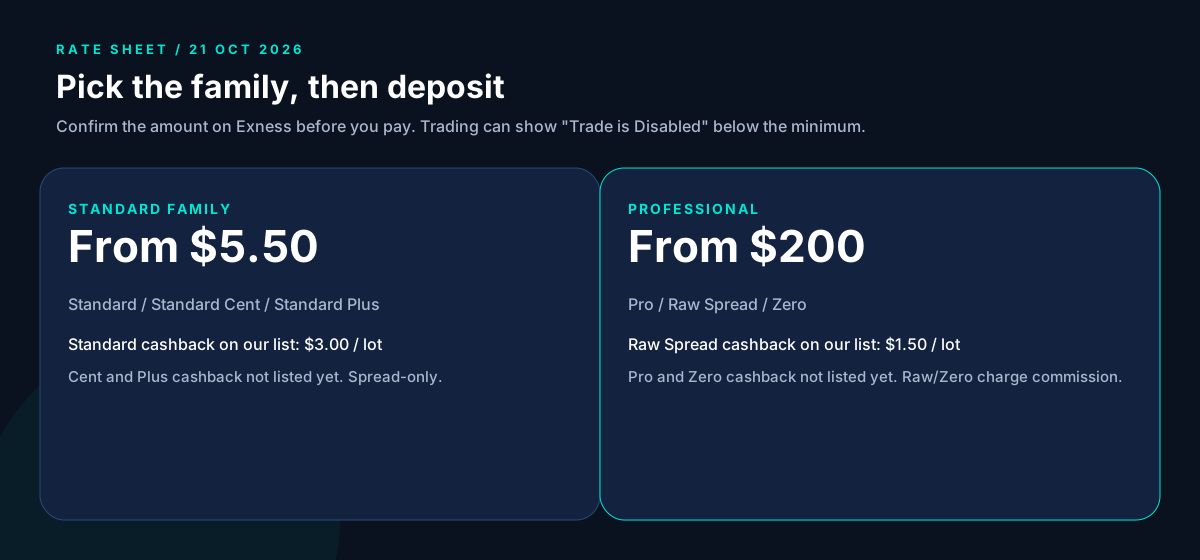
| Account type | Minimum (rate sheet) | Notes |
|---|---|---|
| Standard | $5.50 | Spread-only. Highest cashback on our list ($3.00 per lot). |
| Standard Cent | $5.50 | Smaller lot size. Cashback not listed yet. |
| Standard Plus | $5.50 | Wider spread. Cashback not listed yet. |
| Pro | $200 | Spread-only. Cashback not listed yet. |
| Raw Spread | $200 | Commission up to $3.50 per side per lot. Cashback $1.50 per lot. |
| Zero | $200 | Commission from $0.05 per side per lot. Cashback not listed yet. |
If you try to trade before the minimum is met, the platform can show Trade is Disabled.
Then choose a platform that matches the MT4 or MT5 account you opened: Exness Trade, Exness Terminal, MetaTrader 4 or 5 (desktop or mobile), or WebTerminal. You cannot use an MT4 account on MT5, and you cannot change that after the trading account is created.
Step 6: Send us the trading account number
Email or chat us the Exness trading account number (not the Personal Area password, not the MT4/MT5 master password). We confirm it is under our IB before you size up. We never ask for those passwords.
Already have an Exness account?
The partner is set when the Personal Area is created. Exness does not document a way to add our partner code afterwards. Ask Exness support whether they can move your account; if they cannot, register a new email through our link and complete verification on that profile. See rebates on an existing broker account.
Next steps
Estimate volume on the rebate calculator, then open the account. Rebates are paid on lots you trade, win or lose. Leveraged products can lose more than your deposit; read the risk disclosure.